Best Mood Tracking App: Six Questions That Decide It for You
The best mood tracking app is the one that answers six questions the way you need. Where your journal is stored, whether an account is required, whether the app scores or streaks you, how long one check in takes, how much it lets you actually say, and what happens to your entries if the app disappears.
Why the best mood tracking app is not the same one for everyone
Mood trackers differ far less in what they record than in what they assume about you. Almost all of them capture a rating, a date, and some way to add detail. The gap between them is the shape of the habit they expect you to keep.
Two people can install the same well made app. One of them is still using it a year later. The other quietly stops on day nine, and the reason is rarely the feature list. It is usually that the app wanted something they did not want to give: a signup, a streak, a form that took two minutes when they had ten seconds.
So this article does not hand you a winner. It gives you six questions, asked in the order that matters, starting with where your journal is actually stored. That order is deliberate, and the first question is first because it is the only one you cannot revisit later.
That is the honest trade. You will finish this page without a verdict on which app to install, and with a method you can point at any app in about ten minutes. The short list of named apps near the end exists to show the questions in use. It is not a ranking, and nothing in it is being recommended to you.
The six questions, in the order that matters
Here are the six, in order. Each one gets its own section below, with the trade offs stated in both directions.
- Where does your mood journal actually live? On the phone, on a company's servers, or behind an account you do not control.
- Does it require an account? And if it does, what are you getting in return.
- Does it score, streak or rank you? There is a difference between a summary and a verdict.
- What does one check in actually cost you? In seconds, in decisions, and in interruptions.
- How much does it let you say? A number is fast. A number plus a word is often worth far more later.
- What happens to your journal if the app stops? Apps get sold, abandoned, and eventually broken by an update.
Storage comes first for a simple reason. Every other question on this list stays open. You can leave an app that streaks you, shorten a check in that got long, or start adding a sentence when a number stops being enough.
Storage does not work that way. By the time you decide you would rather your entries were somewhere else, they are already somewhere else. That decision was made on the day you installed it, and it was made for you.
| The question | What a good answer looks like | Where you can check it before installing |
|---|---|---|
| Where does the journal live? | The product page says plainly that entries stay on your device, or says plainly that they are held on its servers. Either can be fine. Vagueness is the problem. | The product's own website, and its privacy policy. |
| Does it require an account? | You can write and read an entry without signing up, or the signup clearly buys you something you want. | Install it and try to write one entry before you give it an email address. |
| Does it score, streak or rank you? | It shows you what happened and leaves the judging to you. | The screenshots on the listing. Look for a number that climbs. |
| What does one check in cost? | A few seconds on a rough day, not a form you have to be in the mood to fill in. | Time it yourself on day one, then again on day seven. |
| How much can you say? | A quick option for ordinary days, and room for a word or a sentence when you want it. | The screenshots, and your own first week of real use. |
| What happens if it stops? | You can pull everything out into a file you can still open on your own. | Find the export and run it in your first week, not your second year. |
Question one: where does your mood journal actually live
A mood journal is a written record of how you felt, dated, in order, going back as far as you have kept it. That is a more personal document than most people picture when they tap install. It is worth knowing where it goes.
There are three broad answers, and each one is a real trade rather than a right or wrong choice.
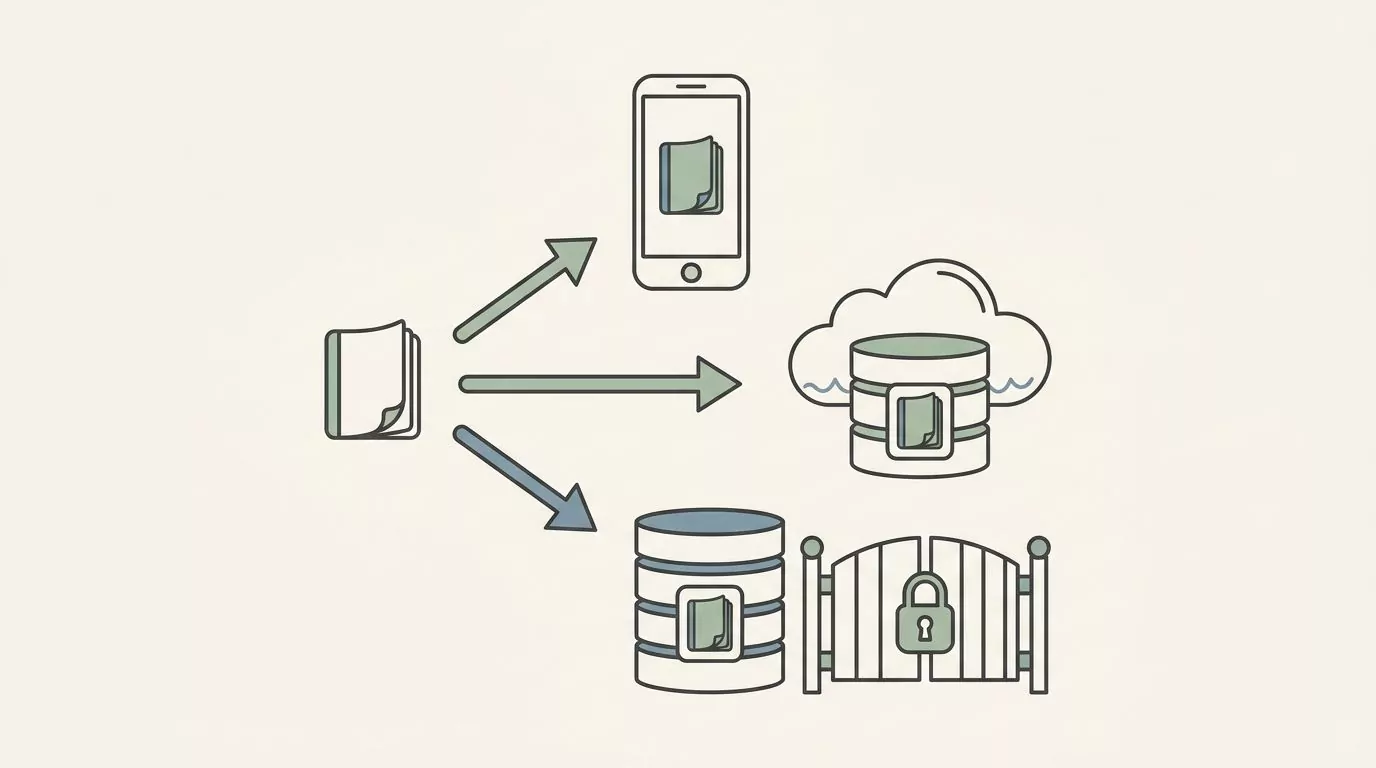
On your device
Entries are written into the app's own storage on the phone. Nothing leaves unless you send it somewhere yourself. No company holds a copy, so no company policy, outage or change of ownership can reach it.
The trade is real and you should hear it stated plainly. If the phone is lost, stolen or wiped and you have no backup, the journal goes with it. Your entries will not appear on a second device, because there is nothing in the middle to put them there.
For some people that is exactly the point. For others it is a dealbreaker, and that is a reasonable place to land.
On a company's servers
Entries are uploaded and held by the company that makes the app. The journal survives a lost phone. It can appear on other devices, and it can usually be restored if you start over.
The trade runs in the other direction. A company now holds a written record of how you have been feeling, subject to its own privacy policy, its own security, and whatever happens to that company later. Companies are bought, and policies are rewritten.
Plenty of people accept this happily, because the convenience is genuine and the risk feels small. The point is to accept it knowingly rather than discover it in year two.
Behind an account you cannot easily close
This is the awkward middle, and it is a category description rather than an accusation against any particular app. The data sits on a server, and getting it out or getting it deleted depends on a process you do not control.
Sometimes that process is a clear button in the settings. Sometimes it is an email address you have to write to, a form, a wait, and a reply that may or may not come. The storage question and the deletion question are not the same question, and the second one is easier to overlook.
You can usually tell the difference before you commit. An app that has thought about this says what it does. An app that has not thought about it says nothing at all.
How to find the answer before you install
You do not need to read a policy end to end. You are looking for a handful of specific signals:
- Look on the product's own page for the words on your device, local, offline or no account required. Apps that store things locally tend to say so, because it is a selling point.
- Open the app and see whether a signup screen appears before you are allowed to write anything.
- Check whether the app describes an export at all, and what format it produces.
- Search the privacy policy for whether journal content is described as stored on servers. That is a different claim from account details being stored on servers.
One warning about wording. A page that says private or secure has not answered this question. Those words describe an intention, and often a real one, but they can be true of data sitting on a server in another country.
The claim worth looking for is the specific one: a sentence that says where the data sits. An app willing to write that sentence has decided to be held to it.
Here is the honest limit of all this. You generally cannot verify a storage claim from the outside, and nothing on this page turns you into an auditor. What you can check is whether the app is willing to make the claim clearly at all. That is a smaller thing than proof, and it still tells you a great deal.
Question two: does it require an account
A signup screen looks like a formality. It does two separate things, and they are worth pulling apart.
First, it creates a copy of your journal somewhere you do not control. Second, it links that copy to an identity, which is usually an email address, sometimes a phone number, and sometimes a social login that tells another company you use a mood app.
Neither of those is automatically bad. An account is very often the price of sync, and sync is the thing many people actually want. If you switch phones every couple of years and would be upset to lose two years of entries, an account may be exactly the right call.
The question is not whether an account is present. It is whether you are getting something for it. An app that requires a signup and then keeps everything on your phone anyway has taken the identity and given you nothing back.
There is a one minute test for this, and it costs nothing. Install the app, open it, and try to write a single entry. If it lets you, the app has decided you can use it before it knows who you are. If it stops you at a wall, that is a design choice, and you can decide what you think of it.
Watch for the softer version too. Some apps let you write one entry, then ask for an account when you try to look back at what you wrote. Being able to read your own history is not a premium feature in most people's minds, so it is worth finding out early which side of that line an app sits on.
Question three: does it score, streak or rank you
Three different things get bundled together in mood apps, and separating them makes this question easy to answer.
A record is what happened. You felt a certain way on Tuesday, and the app wrote it down. A summary is what the record looks like over a month, laid out so you can see it. A verdict is a judgment about whether that month was good.
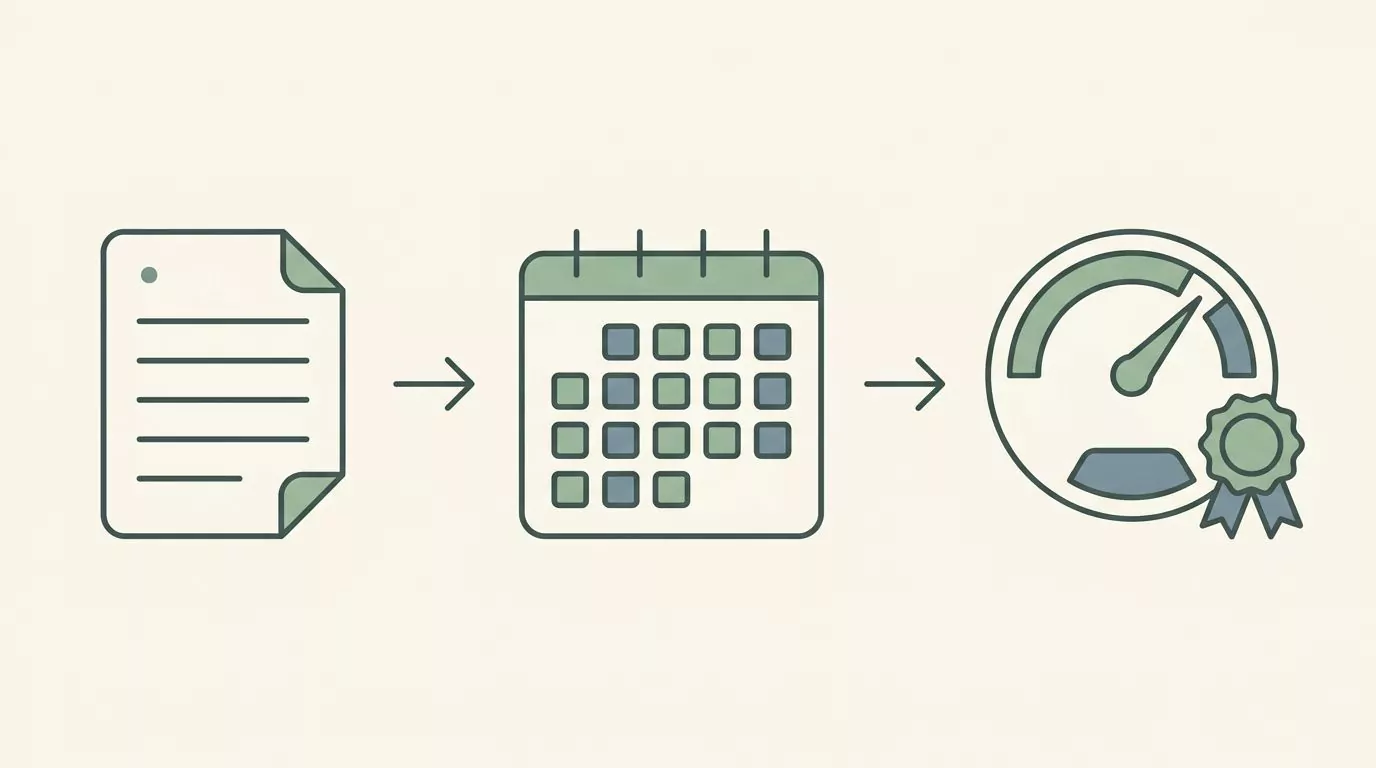
Records are the job. Summaries are genuinely useful, and a calm month view is one of the better things a mood app can give you. A simple month at a glance mood calendar shows you the shape of a stretch of time without telling you what to think about it.
Verdicts are where it goes sideways. Once the app has an opinion, you have something to manage, and managing the number is a different activity from noticing the day.
Streaks work, and that is the problem
Streaks are effective. They are effective because breaking one feels bad, and that feeling is doing the work. For a while this is fine, because the streak carries you past the evenings when you would have skipped.
Then the incentive quietly flips. After a few weeks the check in is protecting the streak rather than telling the truth. You open the app at 11:52pm, tap something plausible, and the record now contains an entry that describes the streak instead of the day.
There is a quieter version of the same thing. Some apps celebrate the higher ratings and stay silent on the lower ones. Nothing is being said out loud, but you learn quickly which answers the app prefers, and a journal that teaches you its preferences is no longer a neutral place to be honest.
Here is what that looks like in practice. You had a rough Tuesday and it was probably a two. The month is sitting at a nice average, so you tap three, because a two would make the chart dip. Nothing dramatic happened. You just wrote down something slightly untrue, in the one place where being untrue costs you the whole point.
The fair counterpoint
Some people genuinely want the nudge, and for them a streak is a feature rather than a trap. If you know that you will not build the habit without one, an app that pushes is not doing you a disservice.
The useful move is to notice which kind of person you are before you install, rather than after. And you can check for this in about thirty seconds: look at the screenshots and see whether there is a number that goes up. Points, levels, badges, a percentage, a chain of days. If it is in the screenshots, it is in the product.
Question four: what one check in actually costs you
Every check in has a price, and it is paid in three currencies.
There is the cost in seconds, which is what everyone thinks of. There is the cost in decisions, which is how many choices you have to make before you are done. And there is the cost in interruptions, which is how often the app asks for your attention.
The third one is easy to miss and often the reason people quit.
Short enough to do badly
The app you will still be using in three months is the one whose check in is short enough to do badly. That is the whole test. If a check in takes ninety seconds and eleven taps, you will do it on the good days and skip it on exactly the days that would have been most worth recording.
Decisions are the hidden cost. A single rating is one decision. A rating plus three required tags plus a mandatory note is five or six, and every one of them is a small chance to close the app instead.
Try this: time one check in with a stopwatch on day one, and time it again on day seven. If it got longer, the app has been teaching you to do more, and that direction rarely reverses on its own.
Reminders, and who is sending them
Reminders are part of the cost, and they vary far more than people expect. In a 2018 analysis of 32 mood tracking apps, researchers found that about a third of them had no reminder feature at all. The sample was collected in early 2017, so treat it as history rather than a description of the current market, but the spread it shows is real.
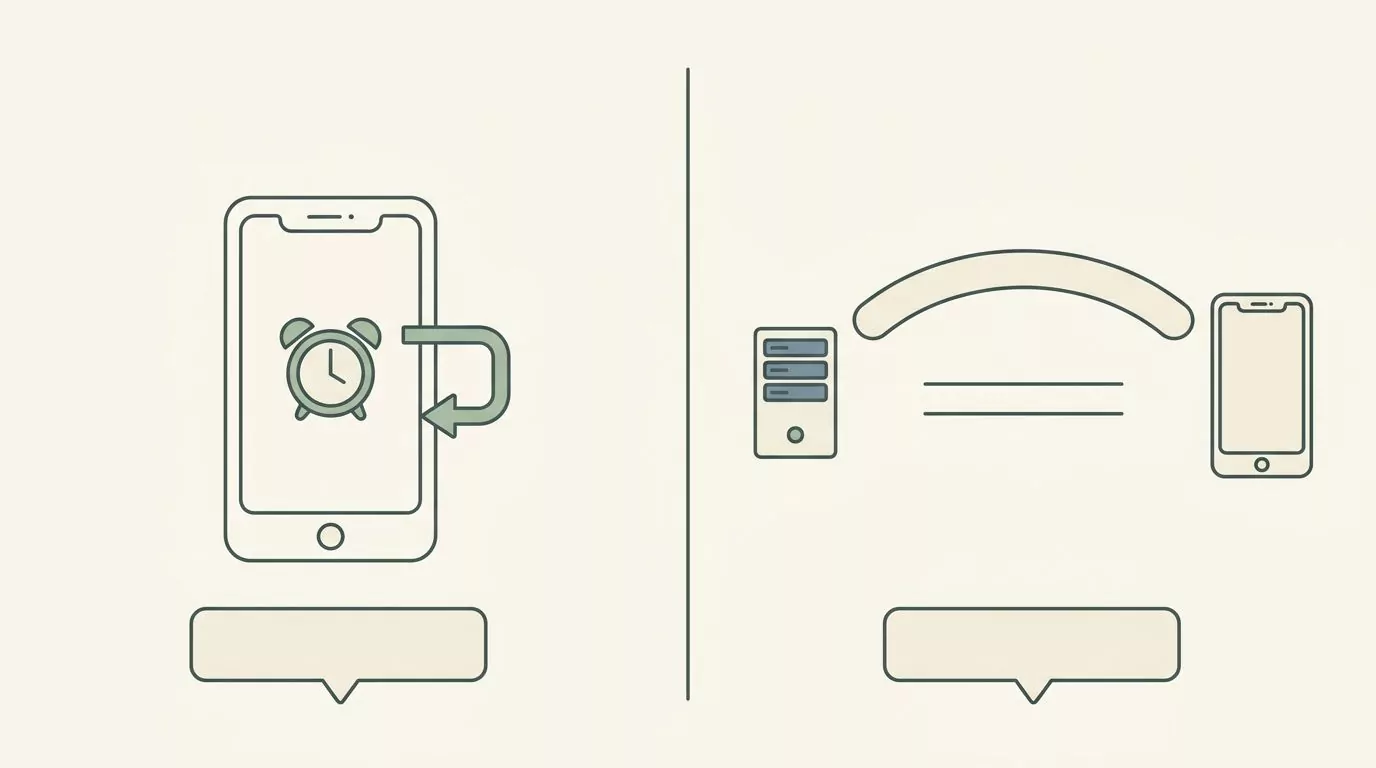
There is also a difference in where a reminder comes from. A reminder scheduled by your phone is a local alarm: the app asked the operating system to nudge you at 9pm, and nothing left the device to make that happen. A notification sent from a company's server means something on the other end is deciding when you should be prompted.
Both arrive as the same little banner, so the distinction is invisible in daily use. It is worth knowing which one you signed up for.
Question five: how much the app lets you actually say
This is the counterweight to the last question, and it is where fast apps, including simple five point scales, have to be honest about what they give up.
A five point scale is quick, and it is lossy. Two threes in the same week can describe two completely different days, and six months later the number alone will not tell you which was which.
The 2018 analysis of 32 apps documented a wide range of ways to record a mood: preset words, free text, colors, pictures, audio, emoji, and intensity ratings. Reading through the user reviews, the researchers found that a common request was the ability to personalize the mood options, because a small fixed set felt too simplistic to some people.
That finding cuts against small scales, including the small scales that calm minimal apps tend to favor, and it deserves to be reported rather than skipped. Some people do want more room than five faces give them. A word chosen from a list of emotions is one way to get that room without a bigger scale.
What a number keeps, and what it loses
| What you recorded | What the number keeps | What only a word or a line keeps |
|---|---|---|
| A three on a flat Tuesday | That the day sat near your middle | That nothing was wrong, and you were mostly just tired of the same week |
| A three on a day with one hard conversation | The same middle score, sitting next to the one above it | That the day held ten difficult minutes and was otherwise fine |
| A four after good news | That the day was above your middle | What the news was, and who you wanted to tell first |
| A two on a day you slept badly | That the day was below your middle | That the cause was four hours of sleep, not the day itself |
| A three you rounded up from a two | Nothing that is true | That you did not want the month to look bad |
Look at the first two rows together. Those two days are stored as the same value, and they are not the same day. One word would have separated them forever.
The version that keeps both
You do not have to choose between speed and meaning. A small scale, plus one word, plus an optional sentence keeps the speed and recovers most of what the number loses.
The word is doing most of the work. Naming what you felt with a little more precision, rather than reaching for the same broad word every time, is what makes an entry readable to you later. If the word does not come easily, a feelings wheel is a way to start from the rough word you reached for and find the one that actually fits.
So the thing to check is not how much an app lets you write. It is whether it lets you add the word when you want it and skip it when you do not, without nagging you either way.
Question six: what happens to your journal if the app stops
Apps stop. They get sold, their subscriptions change, their developers move on to other work, and eventually an operating system update breaks something nobody is maintaining any more.
None of that is a scandal. It is the normal life cycle of small software, and a mood journal is one of the few kinds of app where it really matters, because the value is in the years of entries rather than in the app itself.
So there are two questions to ask on day one, while you still have three entries and nothing to lose.
- Can you get everything out in a form you can still read without the app?
- Would the journal still open if the company vanished tomorrow?
Two examples of how this actually plays out
A 2025 review of free mood trackers describes Pixy as open source and free, with no ads and no paid tier, a simple interface and enough analytics for the reviewer's purposes. The same review notes that it is not in active development, so a future system update could eventually stop it working, and that it has no cloud backup.
That is the whole tension in a single app. Nothing is being uploaded anywhere, which answers question one about as well as an app can. And nobody is maintaining it, which is exactly the risk question six is about. Neither of those facts cancels the other, and which one matters more to you is a genuine preference rather than a correct answer.
For the second example, back to the 2018 analysis. Of the 32 apps studied, 25 had some way to send mood data out of the app, either by sharing it or by exporting it as plain text or a spreadsheet. That is most of them, and it is not all of them, which is the useful part. Export is common enough to expect and rare enough to check.
What a good export looks like
Run the export in your first week. Not because you need the file, but because it is the only way to find out what it produces before the answer costs you anything.
A good export is a plain file you can open without the app: a spreadsheet, a text file, something you can search and read on a laptop in five years. A weak export is a picture of a chart, or a formatted report you cannot search, or a file in a format only that app understands.
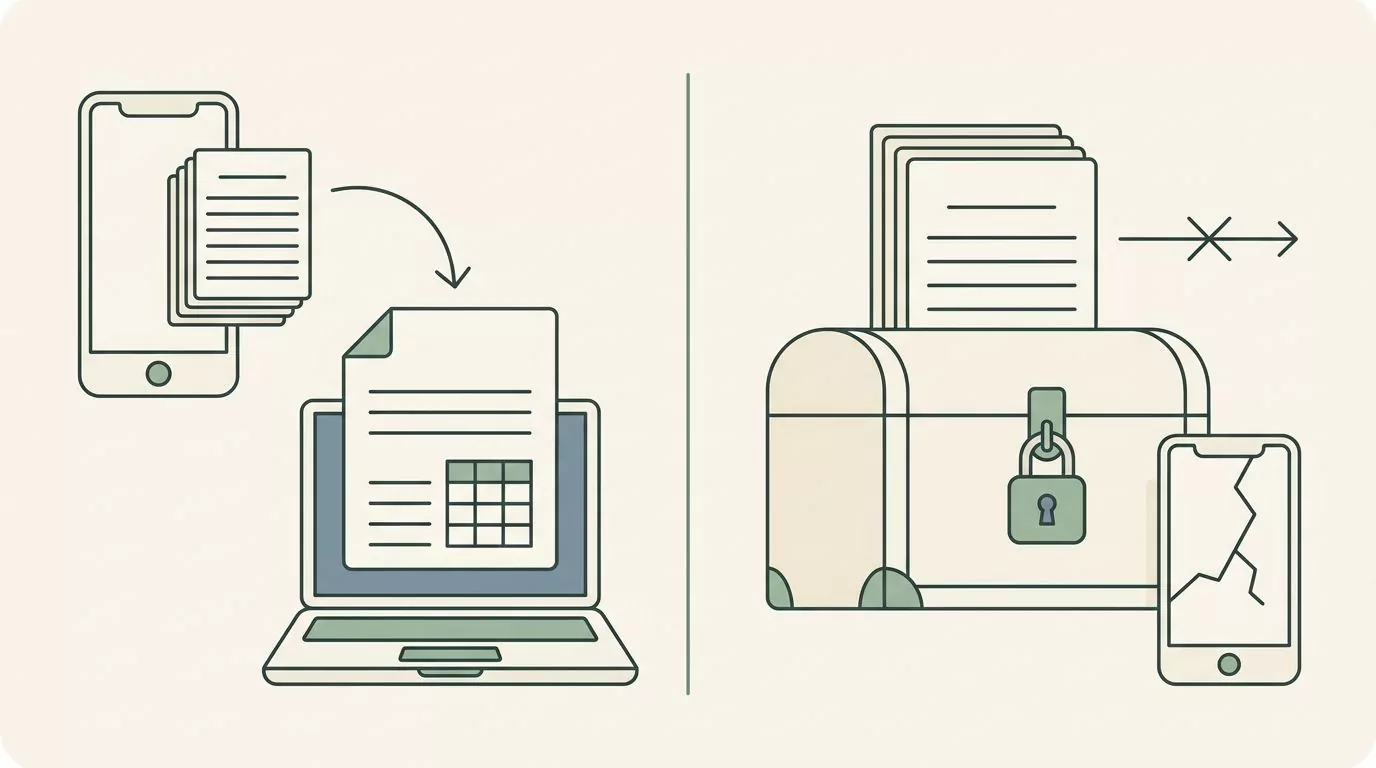
One phrase to watch for. Secure backups on a marketing page answers a different question than the one you are asking. Backups are about the app being able to restore your data into itself. What you want to know is whether you can take your entries and leave. Those are not the same promise, and only the second one protects you when the app is gone.
A scorecard you can run on any mood tracking app in ten minutes
Here are the six questions turned into six things you can actually do. Most apps fail this well before step five, and failing it early is the entire point.
-
Read the product page and write down its own words about storage. Not your summary of them, the actual sentence. If you cannot find a sentence that says where entries are kept, you have your answer to question one, and it is not a promising one.
-
Install it and try to write one entry before creating an account. Thirty seconds. Either it lets you or it does not, and either way you have learned something the listing did not tell you.
-
Time the check in. Use the stopwatch on your phone. Anything under about fifteen seconds will survive a bad week. Anything over a minute is asking for a version of you that is having a good day.
-
Look for a number that goes up. Streaks, points, levels, badges, a completion percentage. Finding one is not a reason to delete the app. It is a reason to know what it will start rewarding you for in three weeks.
-
Find the export and run it on your three test entries. Open the file it gives you. If you cannot open it, or it is an image, or there is no export at all, you now know what year two looks like.
-
Wait a week, then read your own entries back once. Ask a blunt question: do these tell you anything a photo of that day would not? If the week reads as a row of identical numbers, the app is collecting rather than helping you notice, and one word per entry would fix it.
That last step matters more than it looks. The 2018 analysis found that only 7 of the 32 apps offered anything to support what you might do next, while 29 of them produced charts. Recording and displaying are the parts that are easy to build. The noticing has always been left to the person doing it.
Apps people shortlist when looking for the best mood tracking app
These are worked examples, not recommendations. Each one is here because a published source describes it clearly enough to show one of the six questions in action, and every sentence below is attributed to that source rather than stated as fact.
They are listed alphabetically. There is no winner, no ranking, and no best for labels, because handing you those would undo the point of everything above.
Apple Health. A 2025 review of free mood trackers notes that the iPhone's built in Health app can log moods and emotions, that it is free, and that the reviewer expects Apple not to start charging for it or drop support the way a smaller app might. The same review says it lacks the analytics and customization of dedicated apps. That combination is a clean illustration of question six.
Bearable. A roundup published for 2026 describes it as tracking mood alongside sleep, medication and lifestyle factors, and surfacing connections between them that might otherwise be missed. That is a useful illustration of question four, because a check in that captures that much is a longer check in, and only you know whether the detail is worth the seconds.
Daylio. The same 2026 roundup describes it as using emojis and icons rather than full journal entries, with categories you can customize, which keeps daily check ins quick. Separately, the 2025 review of free trackers says its free version limits analytics and shows upgrade prompts, with a paid tier above that. Together those describe questions four and five: fast to use, and the depth sits behind a decision.
EMMO. The 2025 review describes it as mixing mood tracking with sharing to other people and a public map, with an interface that is not fully translated into English and intrusive ads unless you pay. It is included here only to show how wide the phrase mood tracking app really is. Two apps in this list barely belong to the same category.
Pixy. The 2025 review describes it as open source and free, with no ads and no paid tier, a simple interface, basic analytics, and no cloud backup, and notes that it is not in active development. It is the clearest worked example of questions one and six pulling against each other in a single app.
Three more get a single line, because that is all the sources support. The 2026 roundup describes Moodfit, MindDoc and Calm as combining mood logging with other guided material such as exercises or meditations. Nothing further about them is documented in the sources used here, so nothing further is said.
| App | What the source says it is | Which question it illustrates | What the sources do not tell us |
|---|---|---|---|
| Apple Health | Built in on iPhone, logs moods and emotions, free, unlikely to be paywalled or dropped, lighter on analytics and customization than dedicated apps (2025 review of free trackers) | Question six | Where entries are held, what an export produces, or how long one check in takes. Not documented in the sources used here. |
| Bearable | Tracks mood alongside sleep, medication and lifestyle factors and surfaces connections between them (roundup published for 2026) | Question four | Storage, accounts, streaks or export. Not documented in the sources used here. |
| Daylio | Emojis and icons rather than full journal entries, customizable categories, quick check ins (2026 roundup). Free tier limits analytics and shows upgrade prompts, paid tier above it (2025 review) | Questions four and five | Where entries are stored, and whether an account is required. Not documented in the sources used here. |
| EMMO | Mood tracking mixed with sharing to others and a public map, partly untranslated interface, intrusive ads without payment (2025 review) | How wide the category is | Storage, export or account requirements. Not documented in the sources used here. |
| Pixy | Open source and free, no ads, no paid tier, simple interface, enough analytics for the reviewer's purposes, no cloud backup, not in active development (2025 review) | Questions one and six | Whether it offers an export, and what format it would produce. Not documented in the sources used here. |
That last column is the honest part of this table. It is mostly empty on purpose, because five of the six questions are things you find out by installing an app and looking, not things a roundup can tell you. If you would rather write paragraphs than rate a day, the same questions carry over to choosing the best journaling app.
Where Mood Check-In fits
Mood Check-In is free on the App Store for iPhone running iOS 15.1 or later. It is not on the list above because this site makes it, and it is offered here as one option with its own trade offs, not as the winner.
It appears here because the six questions on this page are the questions it was built around, and saying that plainly is the honest way to have a stake in an article like this one.
How it answers them, briefly: journal content kept in the app's own storage on the device, no account required to keep a journal or look back through it, five simple moods with optional emotions, context and a private note, calm history views instead of scores, and optional reminders scheduled by the phone rather than sent from a server.
Whether that set of answers is right for you is exactly the question this article has been trying to help you ask, and there are people for whom the answer will be no. It runs only on iPhone, and with no account and no cloud sync, your entries stay on that one phone. Someone who wants their entries on three devices should choose an app built for that.
It is also free to download rather than free throughout. The paid tier, Mood Check-In Plus, unlocks journal actions and most reflection and personalization features, and the available plans, prices and renewal terms are shown in the app before purchase.
If you would rather not install anything, there is also a set of free browser tools that run in a browser with no account: the Mood Tracker, Mood Calendar, Feelings Wheel, Journal Prompt Generator, Mood and Activity Tracker, and Printable Mood Tracker.
If you want somewhere to start today
You have six questions and no winner, which is a slightly annoying place to be handed. So here is one next step that costs nothing and commits you to nothing.
Open the browser mood tracker and log a single day. Not a habit, not a streak, just today. It will take about ten seconds, and it gives you something more useful than any roundup can: a small, concrete sense of what checking in actually feels like, before you decide which app deserves the next two years of your entries.
If it turns out you like the practice more than you expected, the six questions above will still be there when you go looking for something more permanent. If it turns out you would rather do this on paper, that is a completely reasonable outcome too.
One last thing, said plainly and then left alone. If what you are carrying feels heavier than a check in can hold, talking to a professional is a different and better kind of help.
Frequently Asked Questions
What is the best mood tracking app?
There is no single answer, because the apps differ less in what they record than in what they ask of you. The one that fits is the one whose answers to six questions match what you want: where entries are stored, whether an account is required, whether it scores you, how long a check in takes, how much you can say, and whether you can get your data out. Work through those and the shortlist narrows itself.
Is there a mood tracker that does not need an account?
Yes, apps like that exist, and you can find out in about a minute rather than taking anyone's word for it. Install the app, open it, and try to write one entry. If you can write and then read that entry back without signing up, the app has decided it does not need to know who you are.
Where do mood tracking apps store your data?
It varies, and the product's own page is where to look. Some keep entries in the app's storage on your phone, some upload them to their servers, and some do both. The specific sentence to look for is one that says where entries sit, because words like private and secure describe an intention without answering the question.
Are free mood tracking apps any good?
Some are, and free usually means something is limited somewhere. A 2025 review of free mood trackers found a recurring pattern in the ones it looked at: free tiers that limit analytics or history, upgrade prompts, or ads. That is a pattern in one reviewer's sample rather than a rule, and the review also describes at least one app that is genuinely free with no ads and no paid tier.
Can I use a mood tracker without a phone app?
Yes. A browser tool works, and so does paper. If you like the idea of a month on a wall or in a notebook, a printable mood tracker gives you the record without an install, an account or a notification. Paper also answers question six permanently, since nothing can stop supporting it.
How often should I check in?
Whatever you will actually do. Once a day is common, once every few days is fine, and checking in when something notable happens works too. The pattern you keep for months is worth more than the schedule you keep for nine days, so pick the one you will not have to talk yourself into.
What should I do with my entries after a month?
Read them back once, in one sitting. A month of entries can show you rough shapes: which stretches were heavier, what tends to show up before a rough day, which things you kept writing down. It cannot tell you why any of it happened, and it is worth holding your conclusions loosely.
Will a mood tracking app help me?
It can help you notice patterns you would otherwise forget, because memory smooths a month into a general impression and a record does not. What it does is give you better information about your own weeks. It is not care.