Best Journaling App: How to Choose One That Keeps Your Writing Private
The best journaling app is the one whose answers about storage, accounts and export you can still live with in five years. Before you compare features, check three things: where your entries are stored, whether an account is required to write, and whether you can get your writing back out in a readable file.
Most roundups of the best journaling apps rank the writing surface. This one ranks the questions instead, because the writing surface is the part you can change later. Where five years of entries live is the part you cannot.

Why the Storage Question Comes First
A journal is worth keeping because it is unedited. You write the version you would not send, and that is the point of it. It is also the reason the storage question sits ahead of every other one when you are shopping for a private journaling app.
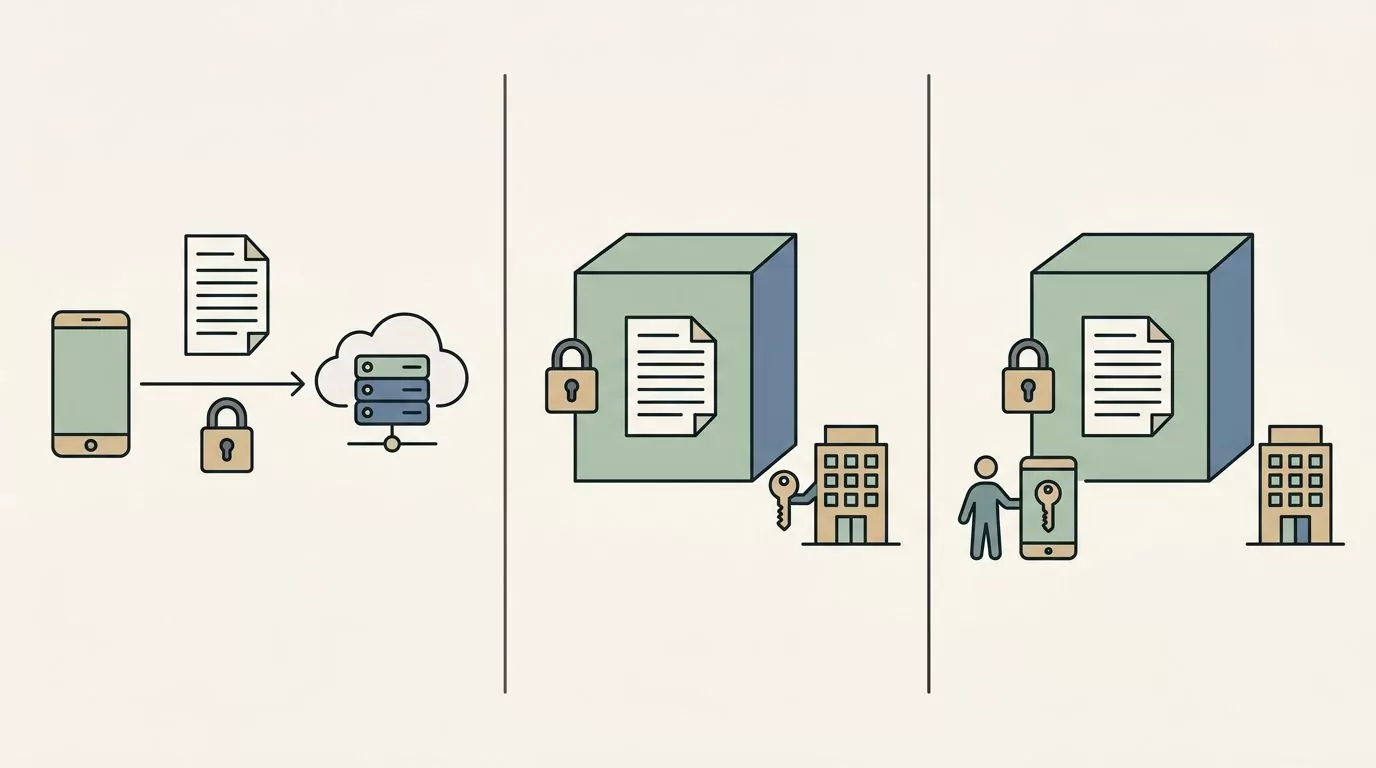
Apps use the word "encrypted" to mean at least three different things, and the differences matter.
- Encryption in transit protects your entry while it travels between your phone and a server. It does nothing once it arrives.
- Encryption at rest protects the stored copy from an outside attacker. It does not protect it from the company holding it, because the company can still read it.
- End to end encryption means the servers hold your entries in a form the company itself cannot read. Only you hold the key.
So the useful question is not "is this an encrypted journal app?" It is "who holds the keys?" If the company can open your entries, your privacy rests on its policies and its choices, not on the encryption alone.
There is a second question underneath that one, and it is simpler. Do the entries need to leave your device at all? An app that keeps your writing on the phone has no server copy to protect, no keys to hold and no policy to change. That is what people mean by a local-first journaling app, and it is a different answer to the same worry.
Six Questions That Decide the Best Journaling App for You
These six questions do the real work. Each one takes a minute or two to answer on a product page or an app listing, and together they tell you more than any feature list will. Run them on whatever you are considering, including anything recommended here.
Where does the journal actually live?
There are three common answers: on your device, in the cloud, or on your device with sync as an option you switch on. The third one is a real and common middle, and it is easy to miss when an app markets itself as private.
Local-first means the writing sits on the phone and the phone holds the copy of record. Nothing is uploaded unless you ask for it. Cloud-first means the server holds the copy of record and your phone shows you a view of it.
Where to check: the privacy policy, the sync or backup section of the settings screen, and one practical test. Put the phone in airplane mode and open the app. An offline journaling app will let you write and read your history with no signal at all.
Does it require an account?
An account is a name attached to your writing. It is also a login, and a login can be reset, breached or requested by someone with legal authority. None of that is a reason to panic, but it is a reason to notice.
Plenty of apps need an account only for sync and work perfectly well without one. That is worth knowing before you hand over an email address out of habit.
Where to check: the very first screen after install. Does it ask for an email, or does it offer a way to skip? Then look at the FAQ and see whether entries are described as tied to an account. A journal app without an account is not rare, it is just rarely advertised.
Does it score, streak, or rank your days?
Streaks, chains, goals, achievements and mood averages are design choices. They are not neutral features, and they are not automatically bad.
For a lot of people, a streak is the thing that keeps the habit alive. If a chain of days on a calendar gets you to write, that is a genuinely good fit and you should choose an app that has one.
For other people the same feature ends the practice. One missed day breaks the chain, and the app that measured you now feels like something to avoid. There is also a quieter version of the same problem, where a day gets reduced to a number and stops being a day you actually looked at.
This is a fit question, not a good or bad question. Where to check: the screenshots on the listing, and whether the marketing leads with graphs and correlations or with the writing itself.
How long does one entry actually cost you?
The honest unit is minutes per day, sustained over months. It is not the feature list.
Two taps is a completely different practice from a guided ten minute session. Both are fine. But a long form app you open twice is worth less than a short form one you open daily, and most people pick the app that flatters the version of themselves who has more time.
Where to check: how the app describes a typical entry, and whether there is a short path as well as a long one. An app with both lets you write one line on a hard day and three paragraphs on a slow Sunday. Both kinds are worth keeping, because short check ins and long entries reveal different things when you read them back.
Can you get your writing back out?
This is the question almost no roundup asks, and it is the one that decides whether your journal is yours.
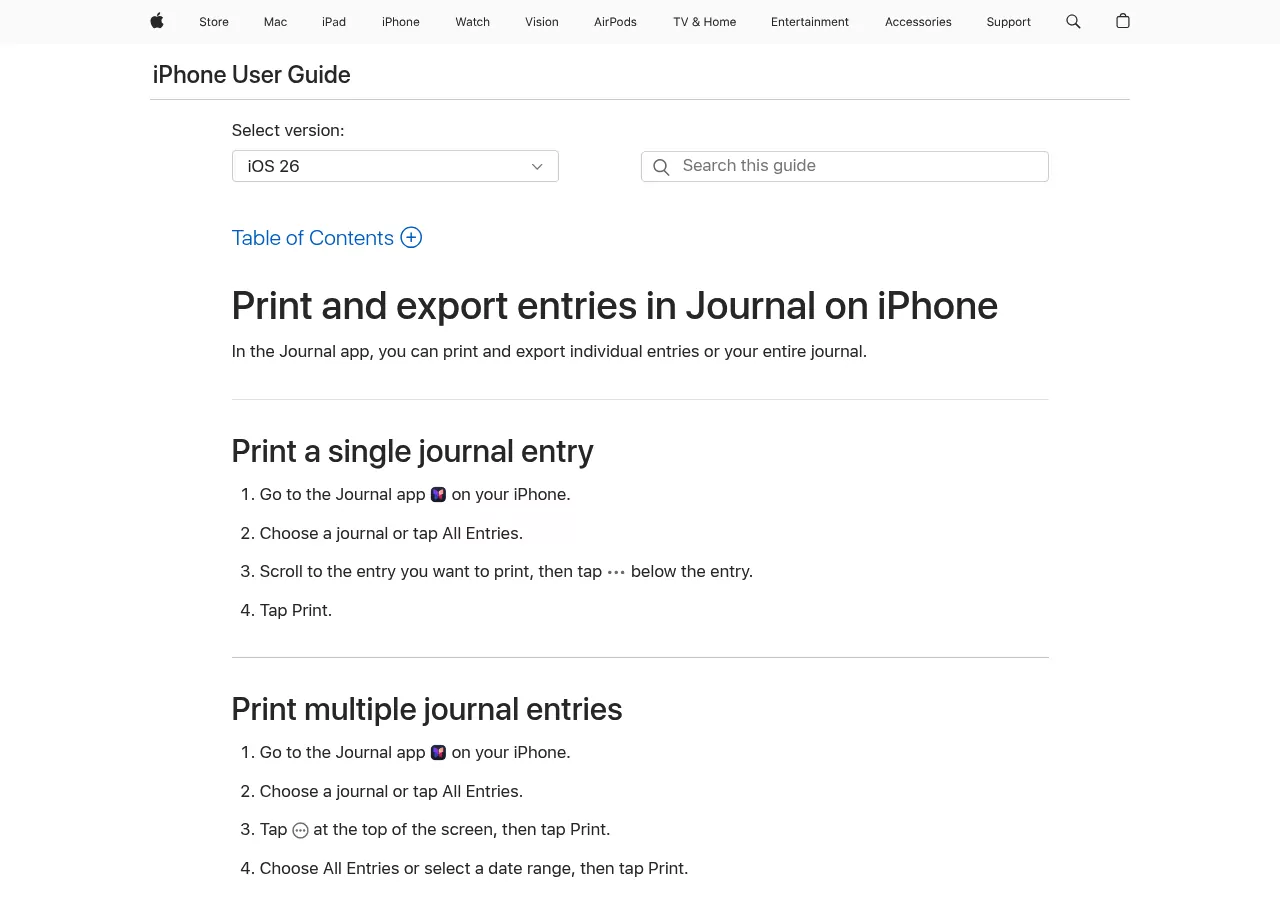
Ask for a plain, readable format you can open without the app: text, markdown, PDF or JSON. Then ask whether photos, audio and other media come with it, because a text file that leaves the pictures behind is only half an export.
The stronger version of the question is whether you have actually run the export once. An export button you have never pressed is a promise, not a backup. Running it takes five minutes and tells you what you really have.
Where to check: the settings screen, the FAQ, and whether the words "export" or "import" appear anywhere on the site. If you cannot find either word, treat that as the answer.
What happens to your entries if the company stops?
Journaling apps get acquired, change their pricing, or shut down. That is normal for software and it is not a scandal. It is just a thing worth planning for when the file in question is five years of your own writing.
Three questions cover it. Is there a local copy that survives the app? Is there an export you have already run once? And if the subscription lapses, does the archive lock, or do you simply lose the new features?
The plain summary is short. If the writing is on your device, and you have exported it once, no company decision can take it from you.
A Checklist You Can Take to Any App Page
Copy this and run it against anything you are considering. It works on apps that do not exist yet.
| Question | What a good answer looks like | Where to check |
|---|---|---|
| Where does the journal live? | On the device, or on the device with sync you turn on | Privacy policy, sync settings, airplane mode test |
| Is an account required? | No account needed to write and read history | First screen after install, FAQ |
| Does it score your days? | Scoring matches how you want to be met | Listing screenshots, marketing images |
| What does one entry cost? | A short path exists, not only a long one | The app's own description of a typical entry |
| Can you export it? | Plain readable file, media included | Settings, FAQ, the words export or import |
| What if the company stops? | A local copy plus one export you have run | Backup settings, what lapsing removes |
What Local First Gives Up
Here is the part a privacy focused article usually skips. Local-first costs you real things, and pretending otherwise would be dishonest.
One popular criteria list for choosing a digital journal app opens by saying your journal should follow you across devices. For a lot of people that is simply true, and it is the strongest argument against everything in this section.
What you give up is concrete. You cannot read last night's entry on a laptop. You cannot start writing on one device and finish on another. And if the phone is lost, dropped or replaced, the journal goes with it unless you have taken your own backup.
That is a trade, not a hidden win.
There is a reasonable middle, and it is where a lot of good apps sit. Diarly is the clean example: its own site says your journal stays on your Mac and syncs to iPhone, iPad and Apple Watch through your own iCloud only if you choose. Journey takes a different route to the same idea and offers a self hosted version of its sync service, so the server can be one you run. The other half of the middle is a habit rather than a feature: run your own export on a schedule you will remember, once a quarter is plenty.
So pick by how you actually live. If you write across a work laptop and a phone all day, sync is worth the custody trade and you should choose an app that does it well. If the writing is the kind you would never put in a work document, the device only version is worth the inconvenience. And if you already write longhand, the way morning pages are usually kept, a paper notebook settles the storage question with no app involved.
Where Well Known Journaling Apps Land on These Criteria
This is not a ranking and there are no winners in it. It is the same six questions applied to the apps you will meet on every other page for this term, whether the page called them journals or filed them under best diary app, using facts checked on each app's own site. Where a claim could not be confirmed there, it is left out rather than softened.
Day One
Day One is the most widely known name on this list and has a polished writing surface. Its own site lists iPhone, iPad, Apple Watch, Android, Mac, Windows and the web, along with end to end encryption, automatic backups with export, and the On This Day view that resurfaces old entries. Its free plan covers one device with no sync between devices, so the free tier is a way to try the app rather than a home for a journal you carry around. Paid plans are annual subscriptions. Day One was acquired by Automattic and kept shipping, which is the good version of the shutdown question.
Apple Journal
Apple's Journal app is free with a recent version of Apple's operating systems and runs on iPhone, on iPad and on Mac, each with its own Apple support guide, and it draws suggestions from your photos, workouts and music. Entries are end to end encrypted through iCloud and can be locked with Face ID. Apple's own support guide documents searching and filtering entries, keeping more than one journal, logging your state of mind into Health, and an export that saves every entry with its photos and media. It has changed a lot since it launched, so check the current version yourself rather than trusting any roundup, this one included.
Diarly
Diarly stays inside the Apple ecosystem, covering iPhone, iPad, Mac and Apple Watch. Its selling point is the one this article cares most about: entries stay on the device unless you opt into iCloud sync, and its site describes the app as free forever with no account required. It also offers encryption, password protection and biometric unlock. It is the cleanest example of local by default with sync as a choice.
Journey
Journey covers more ground than most, listing Android, iOS, Mac, Windows, web and Chrome OS on its own site. It offers end to end encryption plus passcode and biometric locks. Paid access comes in two shapes, a one time platform licence and a membership subscription, which is unusual and worth knowing if you dislike subscriptions. The self hosted sync option is the interesting one for anyone who wants sync without handing custody to a vendor.
Daylio
Daylio is the clearest example of the scorekeeping philosophy, and it is very good at it. You create an entry in two taps by picking a mood and some activities, with no writing required at all. It offers Year in Pixels, correlation statistics, goals and achievements, and it exports to PDF or CSV. If numbers and charts are what keep you coming back, that design is the reason it works for you rather than a flaw. It is built around logging rather than long form writing, so it answers a different question than a text journal does. Reflectly, on iPhone and Android, sits in the same family and uses AI to help structure a daily entry.
Stoic
Stoic is structured, prompt led journaling. Its own site describes a personalised morning check in and an evening wrap up, guided prompts, and trend tracking that follows your mood over time. It lists iPhone, iPad, Mac, web and Android, with syncing across them. If a blank page stops you, a guided practice like this is a reasonable place to start. A set of daily journal prompts does a similar job with no app at all.
Penzu
Penzu is browser first, with apps for iPhone and Android alongside it, and it is a good fit for someone who writes at a desk. Signing up is required, so the entries live in an account, and that is the trade you are making. Its paid tiers add encryption locking, a per entry lock on top of the account login, entry tagging and PDF export.
Free Options That Are Genuinely Free
There is a difference between a free tier that is a real journal and a free tier that is a trial. Both are legitimate, but they are not the same offer.
The best free journaling app for you is usually one already on your phone, and if you are searching for the best journal app for iPhone in particular, that is doubly true. Apple Journal is fully free on iPhone, iPad and Mac with a recent version of Apple's operating systems. Diarly describes its free tier as free forever with no account, which covers daily writing, with sync behind the paid tier. Journey is free to use with paid tiers on top. Day One's free plan is limited to a single device with no sync, which makes it a trial in practice rather than a long term home. Mood Check-In, covered below, is a free download for iPhone, but its paid Plus tier unlocks journal actions and most reflection and personalisation features, so look at what the free version covers before you count on it.
One more criterion belongs here. Free with ads is a different kind of free, because an ad supported app has a second party with an interest in you. That is not an outrage, it is just a cost that shows up somewhere other than your card statement.
Where Mood Check-In Fits, and What It Gives Up
Plainly, and once: Mood Check-In is made by the people behind this site, so read this section with that in mind. It is one more app you could install this afternoon, not the winner the lists above were building up to.
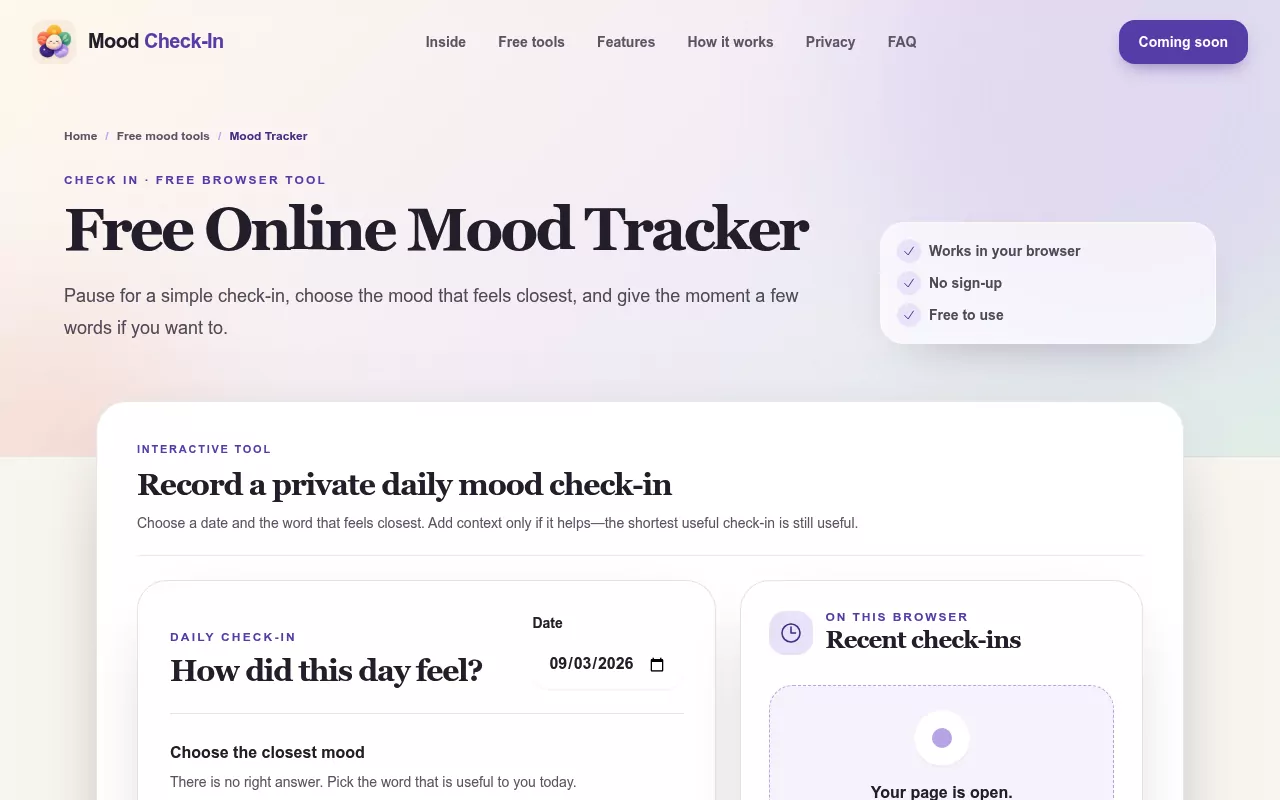
Alongside the app there is a set of free tools that run in a browser and need no account. If you want to see whether a daily check in suits you at all, the mood tracker tool is the shortest way to find out, and nothing is asked of you first.
Where the app lands on the six questions is worth stating clearly, because it is the same test. Journal content stays in local storage on the device. No account is required to keep a journal or view your history. There are five simple moods and short check ins rather than scores or verdicts about your day. Optional reminders are scheduled through the phone's own notification system rather than a server, which means no message arrives because something remote decided you were due.
It also does not sync between devices, and it runs only on iPhone, with iOS 15.1 or later. That is the exact trade this article just described, and it applies here too.
Try the Criteria Before You Commit
The cheapest way to learn which of these questions you actually care about is to write for a week before installing anything.
Three concrete steps, in order. Pick the two criteria that matter most to you, and be honest about which ones you were only pretending to care about. Try a check in that runs in a browser with no account attached, so you learn what a daily habit costs you before you choose where it lives. Then, if you already use an app, export it this week and open the file. Whatever comes out is what you own.
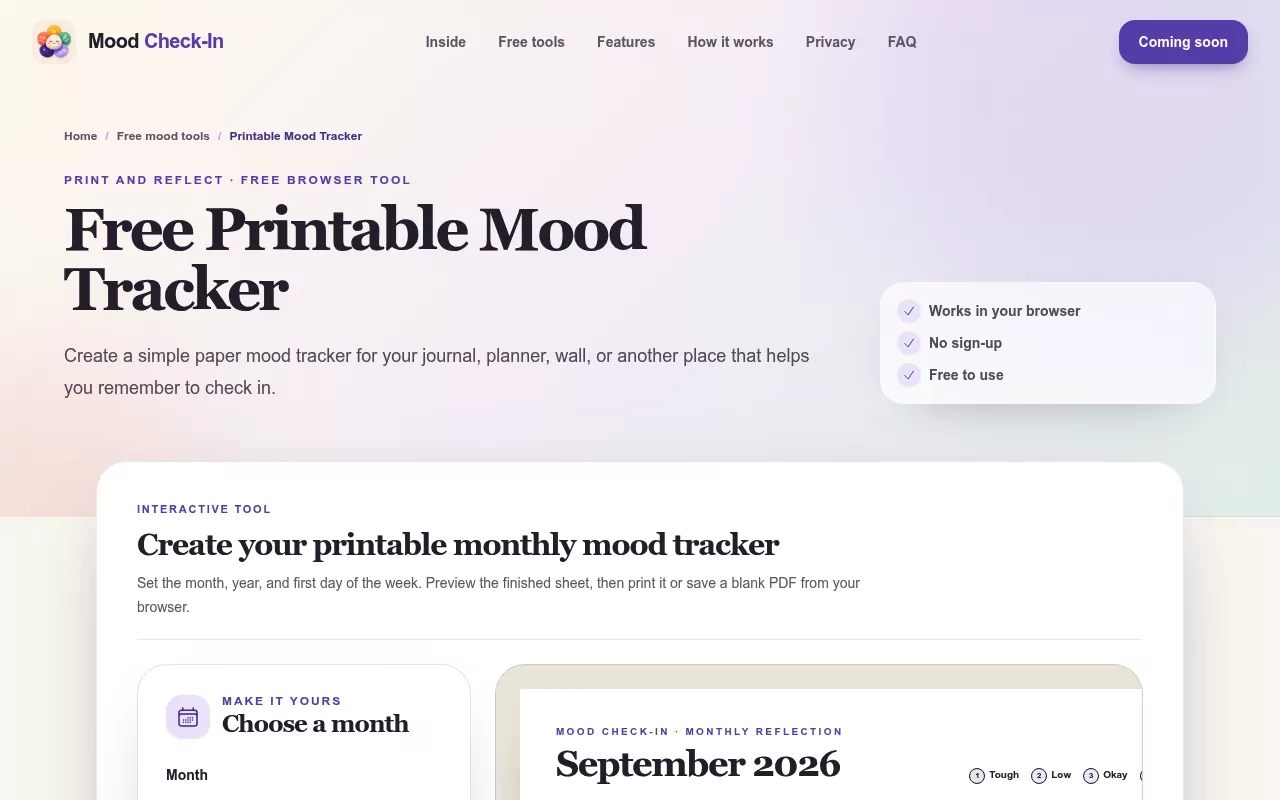
If a blank page is the obstacle, the journal prompt generator gives you a question to answer instead, which is a much smaller ask on a tired evening. And if you want the version that answers the shutdown question completely, the printable mood tracker puts the whole thing on paper, where no company decision can reach it.
None of this is therapy or care, and no app is. If something stays heavy for a while, talking to a professional is a reasonable thing to do.
If you would like a small place to begin, the browser tools are open and need nothing from you. Mood Check-In itself is a private, local-first mood journal for iPhone, and if its answers to the six questions suit you, it is free on the App Store.
Frequently Asked Questions
What is the best journaling app?
The one whose answers on storage, accounts and export you can live with for years. Features change and interfaces get redesigned, but where your entries live and whether you can take them with you rarely change after you commit.
What is the best free journaling app?
Usually the one already on your phone. Apple Journal is free on iPhone, iPad and Mac with a recent version of Apple's operating systems, and Diarly describes a free tier that needs no account. Check whether the free plan is a real journal or a trial with a device limit.
Are journaling apps private?
It depends entirely on where entries are stored and who holds the keys. Encryption in transit and encryption at rest still leave the company able to read your writing. End to end encryption and on device storage do not.
What does local first mean for a journal?
It means the writing lives on your phone and the phone holds the copy of record. Nothing is uploaded unless you choose to turn sync on. If the company changes or closes, your entries stay where they are.
Do I need an account to keep a digital journal?
Not always. Several apps require an account only for sync and work without one otherwise. Check the first screen after install for a skip option, and check the FAQ for whether entries are tied to a login.
Can I export my journal entries to another app?
Often yes, but the format decides how useful it is. Look for text, markdown, PDF or JSON, and check whether photos and audio come with it. Run the export once now rather than on the day you need it.
Is a journaling app the same as a mood tracker?
No. A mood tracker records how a day felt in a tap or two, while a journal holds the words. Some apps do both, and the six questions above apply the same way to either one.