Notification Fatigue: What It Feels Like and How to Quiet the Buzz
Notification fatigue is the worn out feeling that builds when your phone asks for your attention far more often than it earns it. Alerts arrive faster than you can weigh them, so you start tuning out all of them at once. The tiredness is not only about focus. Some of it is emotional.
What notification fatigue actually feels like
It shows up as small moments, not as one bad day.
You feel a buzz against your leg and reach for the phone. Nothing is there. Nothing arrived. Your hand went anyway.
You open an app and two seconds later you cannot remember why. So you scroll a little, close it, and the reason never comes back.
There is a small brace before you unlock the screen. Not quite dread. More like getting ready for a room you are not sure you want to walk into.
You read the same message three times and still could not repeat it back. Your eyes did the work. Nothing landed.
Here is the part that is easy to miss. When your attention is pulled at all day, it gets harder to notice what you feel underneath it. You know you are tired. You are less sure whether you are tired, or flat, or still annoyed about something that happened at eleven that morning.
None of that means you are doing your phone wrong. You did not choose most of these settings. Notification overload is what happens when a few hundred small design decisions land on one person at once, every day, for years.
Some people call the same thing notification burnout. The name matters less than noticing it. Almost everyone with a smartphone feels some version of this, so you are not unusually fragile and you are not bad at technology.
Why almost every guide on this is written for IT teams
Search the term and most of what comes back is written for companies, not for people.
IBM writes about alert fatigue in security operations centers and hospital wards. Its fixes are things like tuning alert thresholds, scoring alerts by risk, and handing triage to automated systems. Atlassian frames it around on call engineers and incident response.
Courier, which sells notification delivery to software teams, publishes seven strategies for product teams: batching, throttling, cross channel sync, measurement. Meistertask treats it as a team productivity problem, fixed by consolidating tools and agreeing on communication norms.
None of that is wrong. It is just not available to you.
You cannot retune a threshold on your own phone. You cannot correlate duplicate events, automate triage, or roll out a norm to a team of one. There is no dashboard here, and no rota.
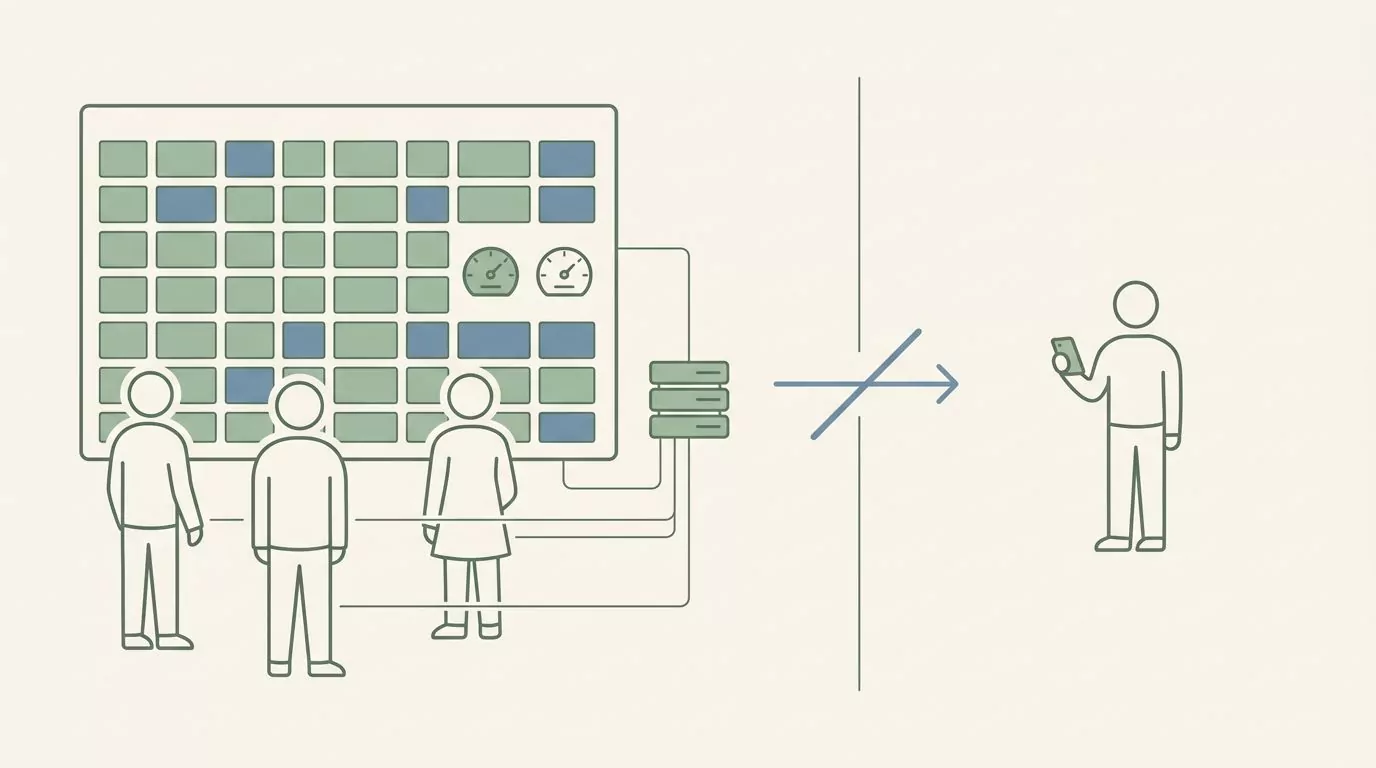
Meistertask gets closest to a personal reader. It gives that reader exactly one answer, in an FAQ at the very bottom of the page, asking whether the same principles apply to personal phone use as well. The answer runs two sentences. That is close to the whole personal treatment on the first page of results.
Some of it does carry over. A glossary entry from tchop puts the transferable part well: send fewer and make them count, make priority obvious, and keep things in one place. Those three ideas work on a phone in a pocket. Anything that needs a dashboard, a team agreement, or someone else's cooperation does not.
The four kinds of notifications on a personal phone
IBM sorts alerts into five types built for operations work: informational, false alarm, warning, missed, and critical. The idea is good. The categories do not fit a phone in a pocket.
Here are four that do. You can usually place any buzz within a second or two.
- Someone is waiting on you. A real person, expecting a real reply.
- Something you asked to be reminded of. You set it. Past you decided this was worth an interruption.
- Something a company wants you to come back for. Streaks, offers, and a note saying you have been missed.
- Noise you never chose. Defaults that shipped switched on and nobody ever turned off.
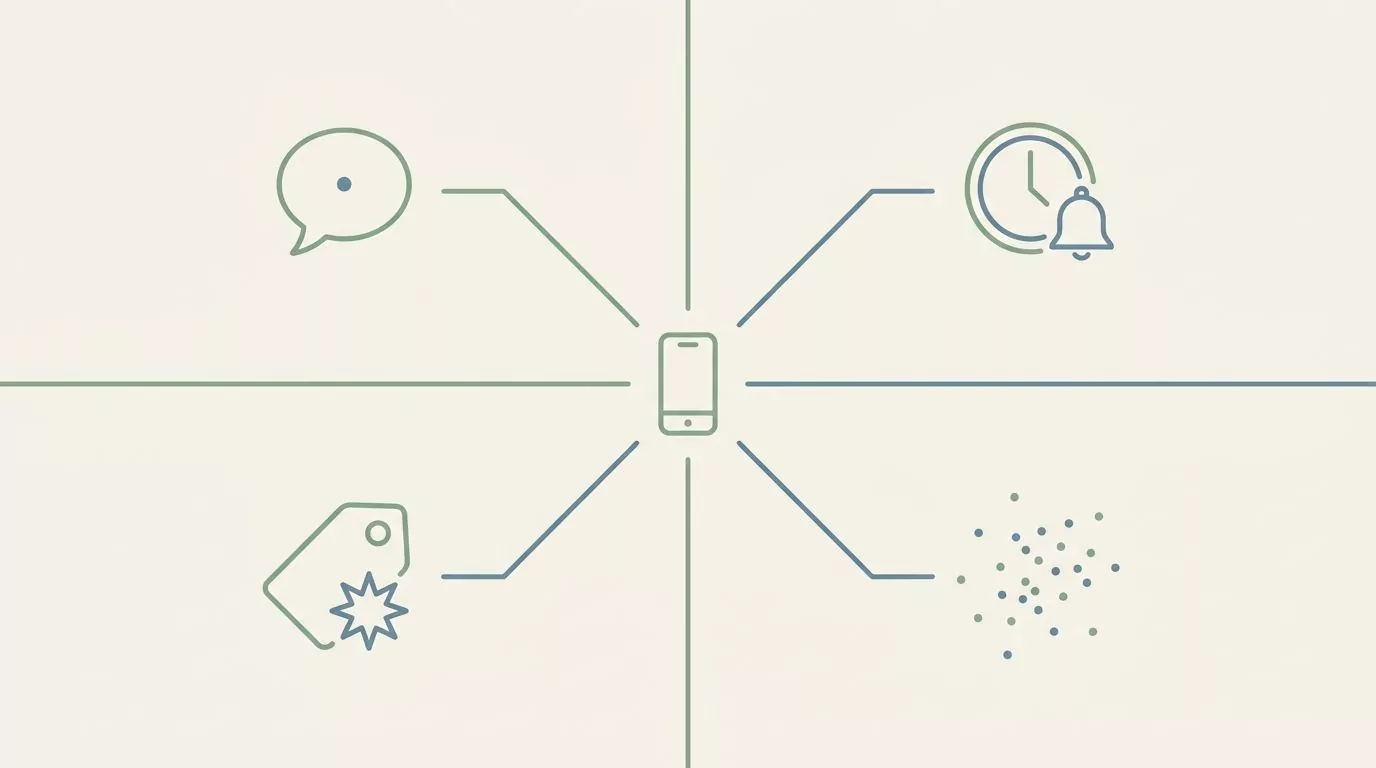
Sorting them takes about a minute, and it makes the settings screen far less daunting.
| Kind of notification | Everyday example | What it actually costs you | A reasonable default |
|---|---|---|---|
| Someone is waiting on you | A text from a friend, a direct reply at work | Little, as long as it stays rare | Sound and banner on |
| Something you asked for | Calendar event, timer, bill reminder | Almost nothing, you chose it | Banner on, sound off |
| Something a company wants | Streaks, sales, we miss you messages | The most, because it borrows urgency | Off |
| Noise you never chose | App defaults nobody switched off | A slow drain you stop noticing | Off |
Now notice which kind grew. The first two have been fairly steady for years. A friend texts about as often as a friend has always texted.
The third kind is the one that multiplied, and it is the one worth cutting first, because it was built to feel like the first kind. Same buzz, same red dot, same small jolt of somebody needs you. It was not somebody needing you.
Cutting the third kind also costs you the least. Nothing in that category is genuinely time sensitive, whatever the wording suggests. If a sale really is ending, it will end again next month.
A one week notification audit you can actually finish
Every guide recommends an audit. None of them shows you one at a personal scale. Meistertask suggests running regular notification audits, which makes sense for a team with a shared tool list and a meeting to do it in.
Here is a smaller version. One week, one small move per day, nothing that takes more than a couple of minutes.
- Days one and two: change nothing. Just notice which buzzes you resent. Resentment is a better signal than volume, and you already know the feeling when it turns up.
- Day three: name the app. For one day, when something arrives, say the app name out loud or jot it in a note. You are building a short list, not a dataset.
- Day four: turn off badges. Badges only, not sounds and not banners. Red dots nag without telling you anything, so they are the cheapest thing to lose.
- Day five: silence the loudest app. One app, the one that came up most on day three. Not all of them, and not forever if you hate it.
- Day six: decide who always gets through. Pick people, not apps. Two or three names is usually enough, and it is a far easier decision than going app by app.
- Day seven: look back at what you missed. Write down what actually slipped past. It is usually much less than the fear suggested.
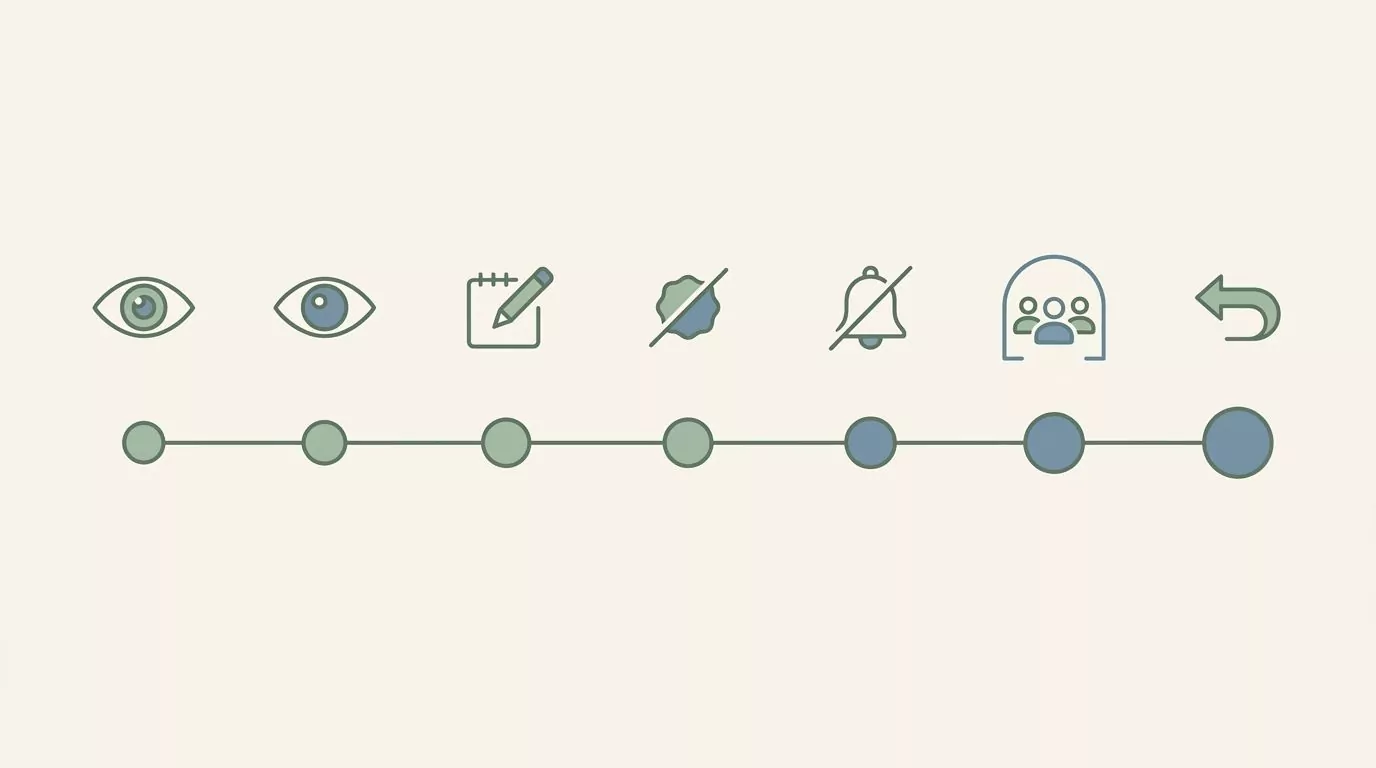
Here is how a week like that can go. By Wednesday the note had the same three names on it over and over: a work chat app, a delivery service, and a news app nobody remembers installing.
Thursday the badges came off everything, and that turned out to be the change that was noticed most, because the red dots had been doing a lot of nagging without saying anything. Friday the work chat went quiet outside working hours. Saturday the list of people who always get through came to four.
On Sunday the honest tally of what had been missed was one message about a dinner moving half an hour, spotted forty minutes late, and a parcel that waited on a doorstep. The thing kept without hesitation was the calendar alert for a school pick up.
That is the usual shape of it. Modest, a bit boring, and much less frightening in hindsight than it looked on Monday.
If a day feels like too much, skip it. A week that takes three weeks still counts.
Noticing how the buzz lands on you, not just how often it arrives
Counting is the instinct every one of those enterprise guides shares. Volume, open rates, response times. That is the right instinct when you are managing a system.
You are not a system. What helps a person more is noticing how the alerts land.
Two identical buzzes can feel completely different. The same message from the same app at eleven in the morning and at nine at night are not the same event. One arrives while you are already moving. The other arrives after you have finally put the day down.
What changes it is usually the surrounding stuff: who it came from, what you were in the middle of, what happened in the hour before, and how much of the day you had left in you.
If you want to see whether a pattern is there, the light version is to write down three things when a buzz lands badly. What you were doing. What happened just before. How it sat with you. Three fragments, not a score. For the last one, a rough word is plenty, since putting a feeling into words does not need the perfect one.
Paper works. A notes app works. You can also try a free mood and activity tracker in your browser if you would rather have the columns set up already. It is somewhere to try the idea, not the point of the article.
Be clear about what this does and does not do. Noticing a pattern will not make your phone quieter, and nothing here is a treatment for anything. It only tells you which kind of quiet you actually need. Sometimes that means fewer alerts. Sometimes it means the same alerts arriving at a different hour.
Give it a week or two before you look back over what you wrote. Patterns tend to show themselves without being hunted.
Changing your settings without going dark
Most advice on how to reduce phone notifications starts at the settings screen. That is the easy part.
The blocker is rarely which toggle to flip. It is the fear of missing something that matters, and that fear is reasonable. So the aim is not silence. The aim is a phone where a buzz means something again.
- Turn off badges before anything else. They are pure nag with no information in them, and losing them costs you nothing.
- Pick a small set of people who always get through. Then let everything else wait. Escalating by person is more honest than escalating by app.
- Use your phone's own focus and do not disturb settings. Many phones can also hold routine alerts and deliver them together later, so things still arrive, just in a batch and at a kinder hour.
- Tell one or two people your rough habits. A sentence like "I usually pick up messages in the evening" stops silence from reading as ignoring them.
- Leave the first kind alone. The goal is not zero. If a person is genuinely waiting on you, let the phone say so.
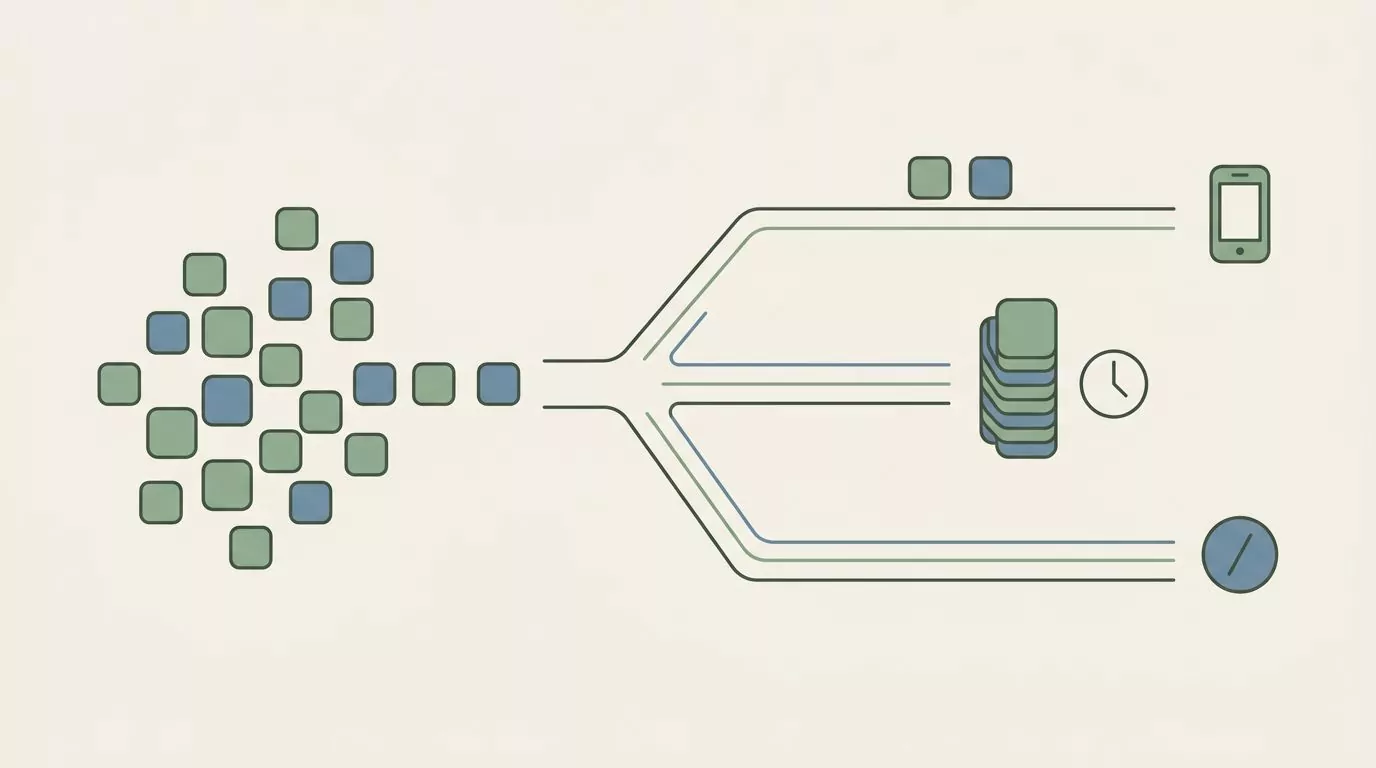
Most digital overwhelm is not caused by one loud app. It is caused by forty quiet ones, which is why picking lanes works better than picking a volume.
Going fully dark usually backfires. When the buzz disappears completely, the anxiety just moves from the buzz to the checking, and you end up opening the phone more often than before to make sure nothing is sitting there. A middle setting holds much better than a purge.
It helps to change one thing at a time. Turning off forty apps in an evening feels decisive and tells you nothing. Turning off one and living with it for three days tells you whether you actually missed it.
If you turn something off and regret it, turn it back on. That is not a failed experiment. That is the experiment working.
When the app you chose to feel better is also the thing buzzing at you
There is an uncomfortable version of this problem, and it belongs in an article like this one.
Wellbeing apps are notification sources. So are habit trackers, journals, breathing timers and water reminders. Plenty of them arrive with a streak to protect and messages that, read plainly, are disappointed in you. You have not checked in for three days. Your streak ends tonight. A practice meant to be gentle turns into one more thing keeping score. Whether an app keeps streaks or scores your days is worth checking when choosing a journaling app.
This blog is published by a mood check-in app, which makes it one of them. So here is where it actually stands.
- Reminders in Mood Check-In are optional. Nothing switches them on for you.
- They are scheduled through your phone's own notification system, on the device. No server sits somewhere deciding when to reach for you.
- If a reminder starts to feel like something you dread, turning it off is a reasonable choice, and nothing breaks when you do.
- There are no streaks to protect. Nothing is keeping score, and a gap in your entries is not a failure.
The app itself is free on the App Store for iPhone, and like the browser tools, it needs no account. If you want something lighter to try, a browser check-in reminder works only while its page is open, so closing the tab ends it.
If you want the smallest possible version of any of this, with nothing to install and nothing to set up, there is a simple mood tracker you can use in your browser. It is there if it is useful. It will not follow up.
Frequently Asked Questions
What is the difference between notification fatigue and information overload?
Information overload is having more coming at you than you can take in. Notification fatigue is what happens next. The alerts have trained you to tune out, so you stop reading them at all, including the ones that mattered. Overload is about volume. Fatigue is about having stopped trusting the signal.
How many notifications a day is too many?
There is no number, and anyone who gives you one made it up. Some people are fine with two hundred a day because nearly all of them are useful. Others are worn down by fifteen because none of them are. It is rarely about having too many notifications in the abstract, so the better question is how they land: which ones you resent, and which ones you would truly miss.
Does batching or scheduling notifications actually help?
Usually, yes. Grouping routine alerts into one scheduled delivery cuts the number of interruptions while still getting you the information. The catch is trust. If you keep opening the phone to check what is waiting in the batch, you have quietly bought the interruptions back.
Do workplace notification tips work on a personal phone?
Some do. Send fewer and make them count, make priority obvious, and keep things in one place all transfer fine. Alert thresholds, automated triage, shared team norms and on call rotas do not, because they need tooling and other people. If a tip assumes a dashboard, it was not written for you.
How do I tell an urgent notification from one that can wait?
Ask who it is from before you ask which app it came from. A person waiting on a reply is the only category that is reliably time sensitive. A company that wants you back is not urgent, however the wording is phrased. Setting escalation by person rather than by app makes that decision once instead of forty times.
Will a mood check-in app just add another notification?
It can, and that is worth saying out loud. In Mood Check-In, reminders are optional and are scheduled through your phone's own notification system, on the device. If one starts to feel like pressure, turning it off is a reasonable thing to do. Mindful phone use includes being willing to silence the app that was meant to help.